> ## Documentation Index
> Fetch the complete documentation index at: https://docs.suprsend.com/llms.txt
> Use this file to discover all available pages before exploring further.
# Gupshup
> Connect your Gupshup WhatsApp account with SuprSend to send WhatsApp template messages, covering API credentials, vendor setup, and WABA configuration.
## Pre-Requisites
You'll need a Gupshup account to complete this tutorial. You can use your existing Gupshup account to integrate, or [Create a Gupshup account](https://www.gupshup.io/auth/signup)
## Gupshup integration on SuprSend account
On the SuprSend dashboard, go to vendor page from side panel and click WhatsApp -> Gupshup from the list of Vendors. This will open vendor details page as shown below:
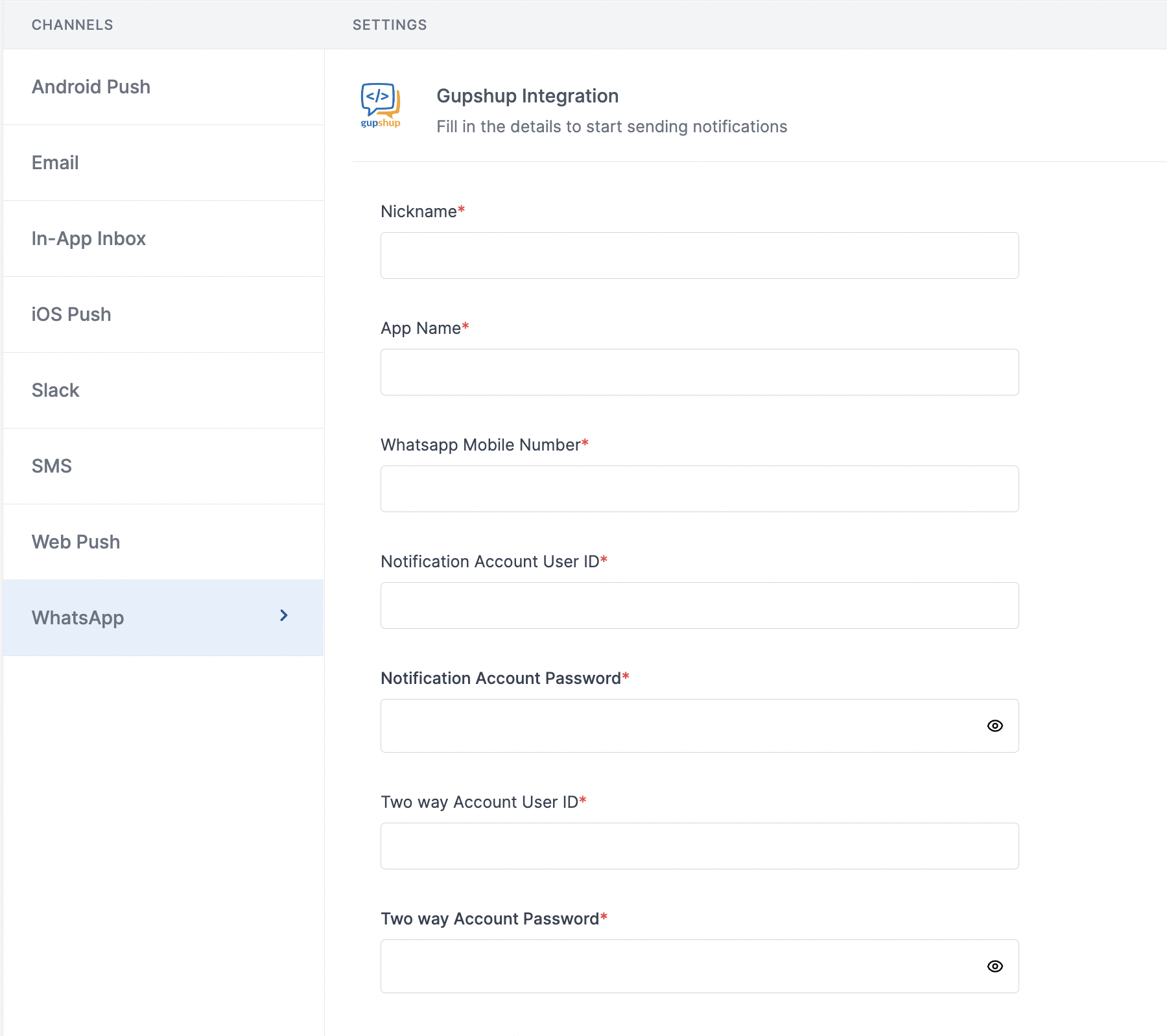 | Form Field | Description |
| --------------------------------- | -------------------------------------------------------------------------------------------------------------------------------------------------------------------------------------------------------------------------------------------- |
| Nickname | You can give any name which may help you to identify this account easily |
| App Name | App name of your gupshup WhatsApp account. SuprSend uses this information to send WhatsApp on your behalf via your Gupshup account |
| WhatsApp Mobile Number | Mobile number of your WhatsApp business account. SuprSend uses this information to send WhatsApp on your behalf via your registered WhatsApp number |
| Notification Account User ID | Gupshup creates 2 accounts - one for sending one way messages and other for 2-way messages. Add the user ID of 1-way message account here. SuprSend will use this information to send 1-way messages on your behalf via your Gupshup account |
| Notification Account Password | Login password of 1-way message account. SuprSend will use this information to send 1-way messages on your behalf via your Gupshup account |
| Two way Account User ID | User ID of 2-way message account. SuprSend will use this information to send 2-way messages on your behalf via your Gupshup account |
| Two way Account Password | Password of 2-way message account. SuprSend will use this information to send 2-way messages on your behalf via your Gupshup account |
| WhatsApp Analytics Panel User ID | User ID of [WhatsApp analytics](https://unify.smsgupshup.com/WhatsApp/Analytics/) account. SuprSend will use this information to upload templates on your behalf in your gupshup account for approval |
| WhatsApp Analytics Panel Password | Password of [WhatsApp analytics](https://unify.smsgupshup.com/WhatsApp/Analytics/) account. SuprSend will use this information to upload templates on your behalf in your gupshup account for approval |
| Facebook Page URL | URL of your Facebook business page |
| Price per notification | This is the amount you pay per SMS notification to Gupshup. It helps us to calculate, estimate and optimise your cost spent on notifications. |
You'll get all the account credentials from Gupshup team as soon as your account is created
## Setting callback URL in Gupshup account
One of the platform advantage of using SuprSend as a central communication system is that it shows notification analytics for all channels in your SuprSend account together.
Send a mail to Gupshup team to enable below webhook URL to your account:
> HTTP Method: POST
>
| Form Field | Description |
| --------------------------------- | -------------------------------------------------------------------------------------------------------------------------------------------------------------------------------------------------------------------------------------------- |
| Nickname | You can give any name which may help you to identify this account easily |
| App Name | App name of your gupshup WhatsApp account. SuprSend uses this information to send WhatsApp on your behalf via your Gupshup account |
| WhatsApp Mobile Number | Mobile number of your WhatsApp business account. SuprSend uses this information to send WhatsApp on your behalf via your registered WhatsApp number |
| Notification Account User ID | Gupshup creates 2 accounts - one for sending one way messages and other for 2-way messages. Add the user ID of 1-way message account here. SuprSend will use this information to send 1-way messages on your behalf via your Gupshup account |
| Notification Account Password | Login password of 1-way message account. SuprSend will use this information to send 1-way messages on your behalf via your Gupshup account |
| Two way Account User ID | User ID of 2-way message account. SuprSend will use this information to send 2-way messages on your behalf via your Gupshup account |
| Two way Account Password | Password of 2-way message account. SuprSend will use this information to send 2-way messages on your behalf via your Gupshup account |
| WhatsApp Analytics Panel User ID | User ID of [WhatsApp analytics](https://unify.smsgupshup.com/WhatsApp/Analytics/) account. SuprSend will use this information to upload templates on your behalf in your gupshup account for approval |
| WhatsApp Analytics Panel Password | Password of [WhatsApp analytics](https://unify.smsgupshup.com/WhatsApp/Analytics/) account. SuprSend will use this information to upload templates on your behalf in your gupshup account for approval |
| Facebook Page URL | URL of your Facebook business page |
| Price per notification | This is the amount you pay per SMS notification to Gupshup. It helps us to calculate, estimate and optimise your cost spent on notifications. |
You'll get all the account credentials from Gupshup team as soon as your account is created
## Setting callback URL in Gupshup account
One of the platform advantage of using SuprSend as a central communication system is that it shows notification analytics for all channels in your SuprSend account together.
Send a mail to Gupshup team to enable below webhook URL to your account:
> HTTP Method: POST
>
URL: [`https://hub.suprsend.com/webhook/gupshup/whatsapp/`](https://hub.suprsend.com/webhook/gupshup/whatsapp/)
>
Headers: Content-Type: application/json
***