> ## Documentation Index
> Fetch the complete documentation index at: https://docs.suprsend.com/llms.txt
> Use this file to discover all available pages before exploring further.
# Mailjet
> Connect your Mailjet account with SuprSend to send transactional email notifications by adding API keys, sender domain, and routing configuration.
This section is a step by step guide to setup Mailjet as your email service provider You can use your existing Mailjet account to integrate, or create a new account from [here](https://app.mailjet.com/signup?lang=en_US)
## Mailjet integration on SuprSend account
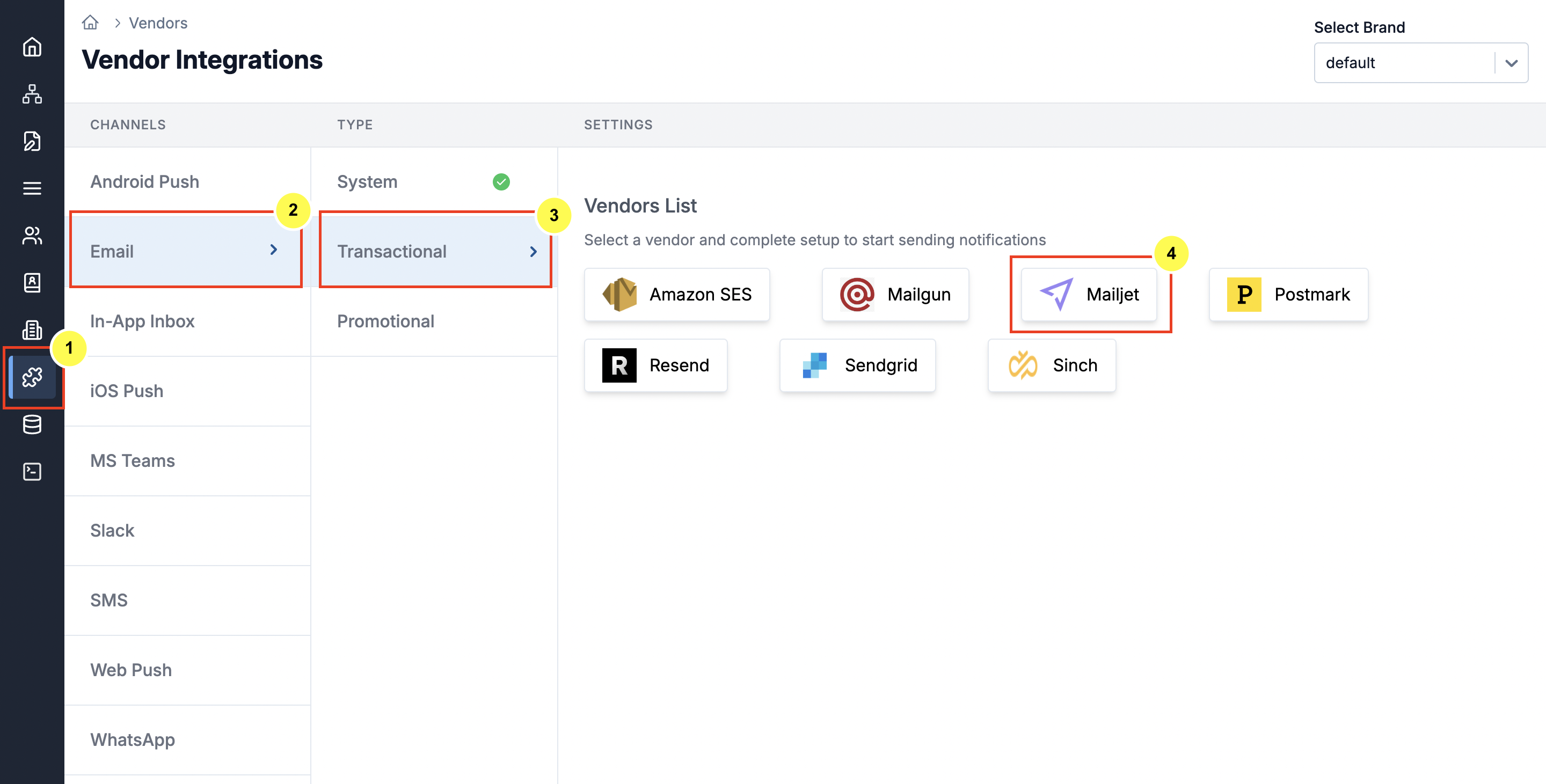
On the SuprSend dashboard, go to vendor page from side panel and click Email -> Mailjet from the list of Vendors. This will open vendor details page as shown below:
 | Form Field | Description |
| ---------------------- | ------------------------------------------------------------------------------------------------------------------------------------------------------------------------------------------------------------------------------------------------------------------------------------------------------------------------------------------------------- |
| Nickname | You can give any name which may help you to identify this account easily |
| API Key | You will get from the API Key management section in your Mailjet account settings. This is a mandatory field. SuprSend will use this key to route emails through your Mailjet account. Check the [documentation](/docs/postmark#how-to-get-a-server-token-from-postmark) on how to get your API and Secret Key. |
| Secret Key | Secret generate along with your API Key. You will get this from API Key management section in your Mailjet account settings. This is a mandatory field. SuprSend will use this token to route emails through your Mailjet account. Check [documentation](/docs/postmark#how-to-get-a-server-token-from-postmark) on how to get your API and Secret Key. |
| From Name | Default 'From Name' that email will go from. You can override this in the individual template. \*for example \[[support@suprsend.com](mailto:support@suprsend.com)]]\\ |
| From Email | Default 'From Name' that email will go from. You can override this in the individual template. *for example [support@suprsend.com](mailto:support@suprsend.com)* From email domain should be verified by Mailjet. |
| Reply Email | Default 'Reply To Email id' on which replies are received. You can override this in the individual template.*for example [support@suprsend.com](mailto:support@suprsend.com)* |
| Price per notification | This is the amount you pay per email notification to Mailjet. It helps us to calculate, estimate and optimise your cost spent on notifications. We use this cost to set the order of channels in smart routing where routing rule is `optimize on cost`. |
## How to get API and Secret key from Mailjet
| Form Field | Description |
| ---------------------- | ------------------------------------------------------------------------------------------------------------------------------------------------------------------------------------------------------------------------------------------------------------------------------------------------------------------------------------------------------- |
| Nickname | You can give any name which may help you to identify this account easily |
| API Key | You will get from the API Key management section in your Mailjet account settings. This is a mandatory field. SuprSend will use this key to route emails through your Mailjet account. Check the [documentation](/docs/postmark#how-to-get-a-server-token-from-postmark) on how to get your API and Secret Key. |
| Secret Key | Secret generate along with your API Key. You will get this from API Key management section in your Mailjet account settings. This is a mandatory field. SuprSend will use this token to route emails through your Mailjet account. Check [documentation](/docs/postmark#how-to-get-a-server-token-from-postmark) on how to get your API and Secret Key. |
| From Name | Default 'From Name' that email will go from. You can override this in the individual template. \*for example \[[support@suprsend.com](mailto:support@suprsend.com)]]\\ |
| From Email | Default 'From Name' that email will go from. You can override this in the individual template. *for example [support@suprsend.com](mailto:support@suprsend.com)* From email domain should be verified by Mailjet. |
| Reply Email | Default 'Reply To Email id' on which replies are received. You can override this in the individual template.*for example [support@suprsend.com](mailto:support@suprsend.com)* |
| Price per notification | This is the amount you pay per email notification to Mailjet. It helps us to calculate, estimate and optimise your cost spent on notifications. We use this cost to set the order of channels in smart routing where routing rule is `optimize on cost`. |
## How to get API and Secret key from Mailjet
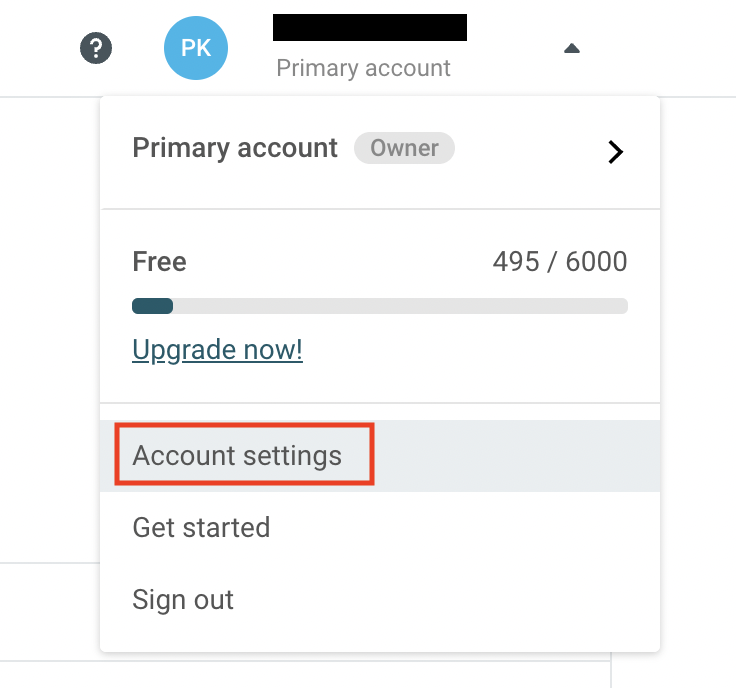
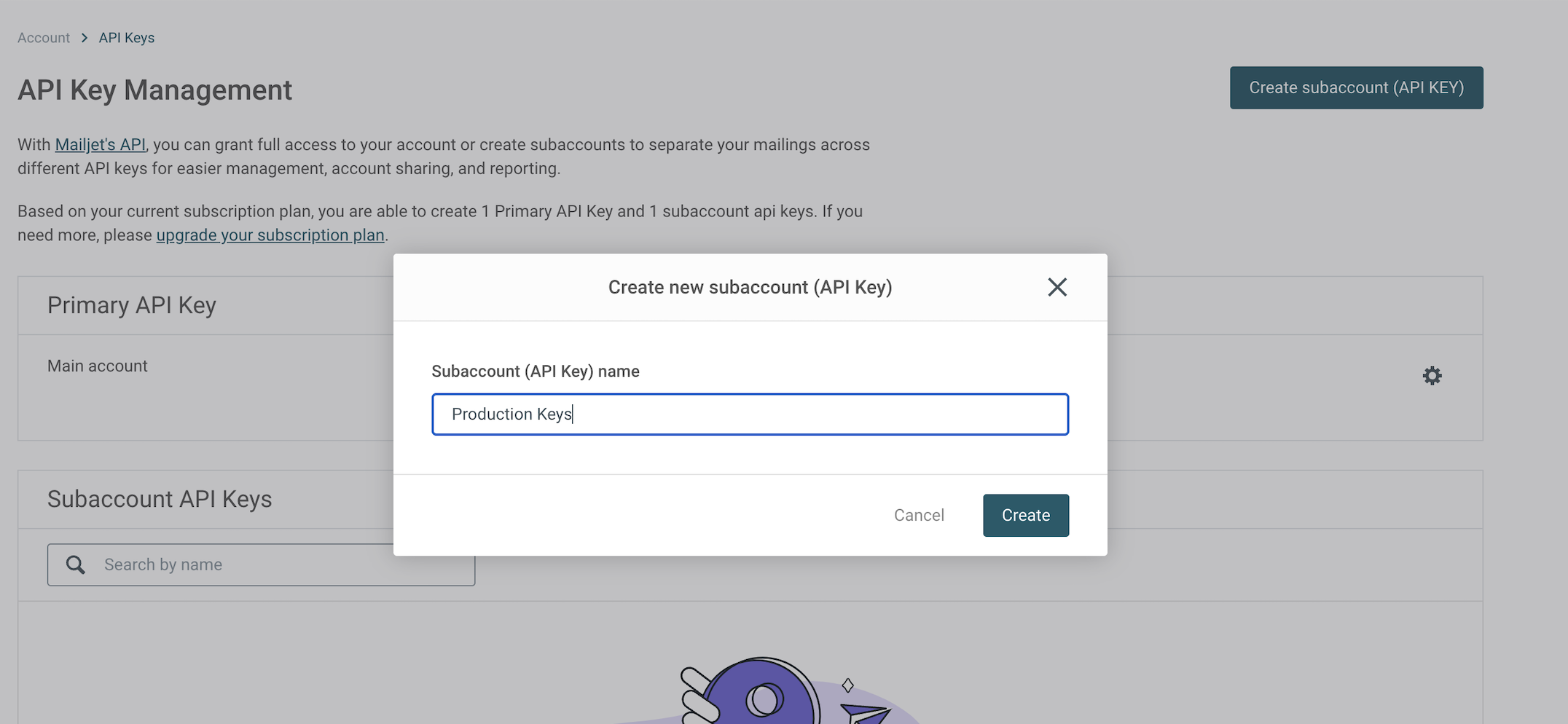
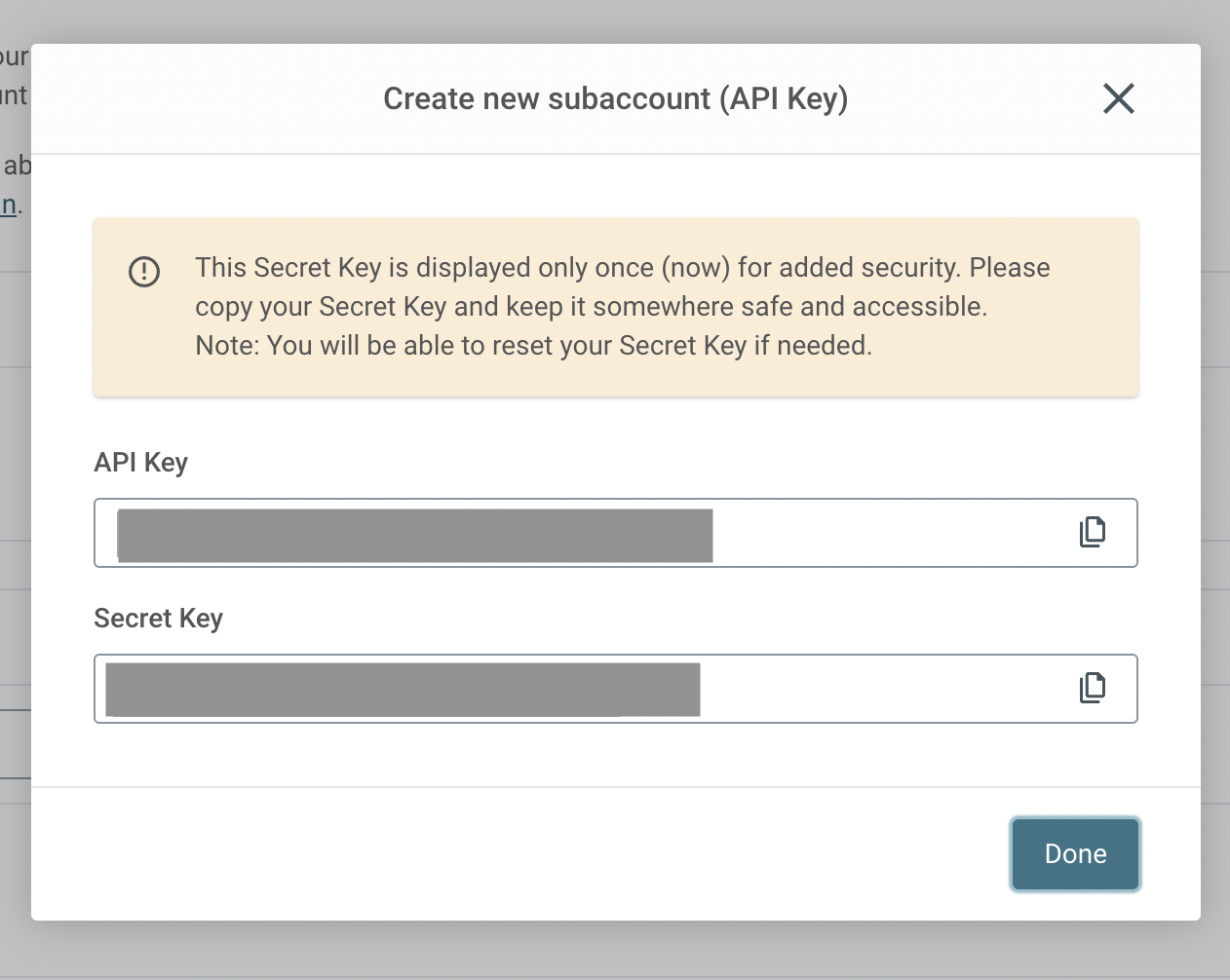
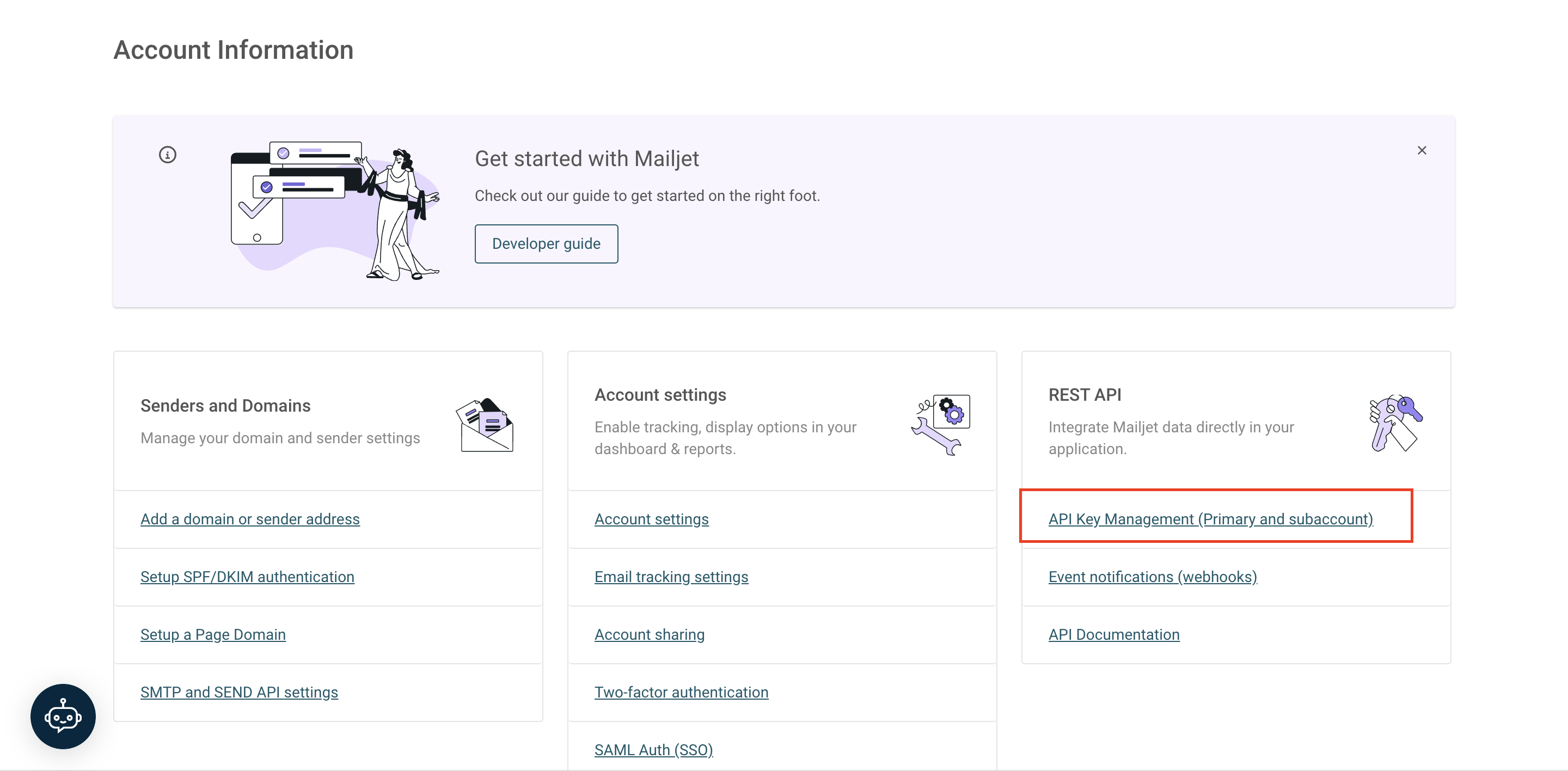 On the API Key Management page, you'll get the option to create API Key. Create one if you haven't already or else you can add the existing API Key and Secret in SuprSend vendor form.
 ## Configuring Open/Click tracking for emails on Mailjet
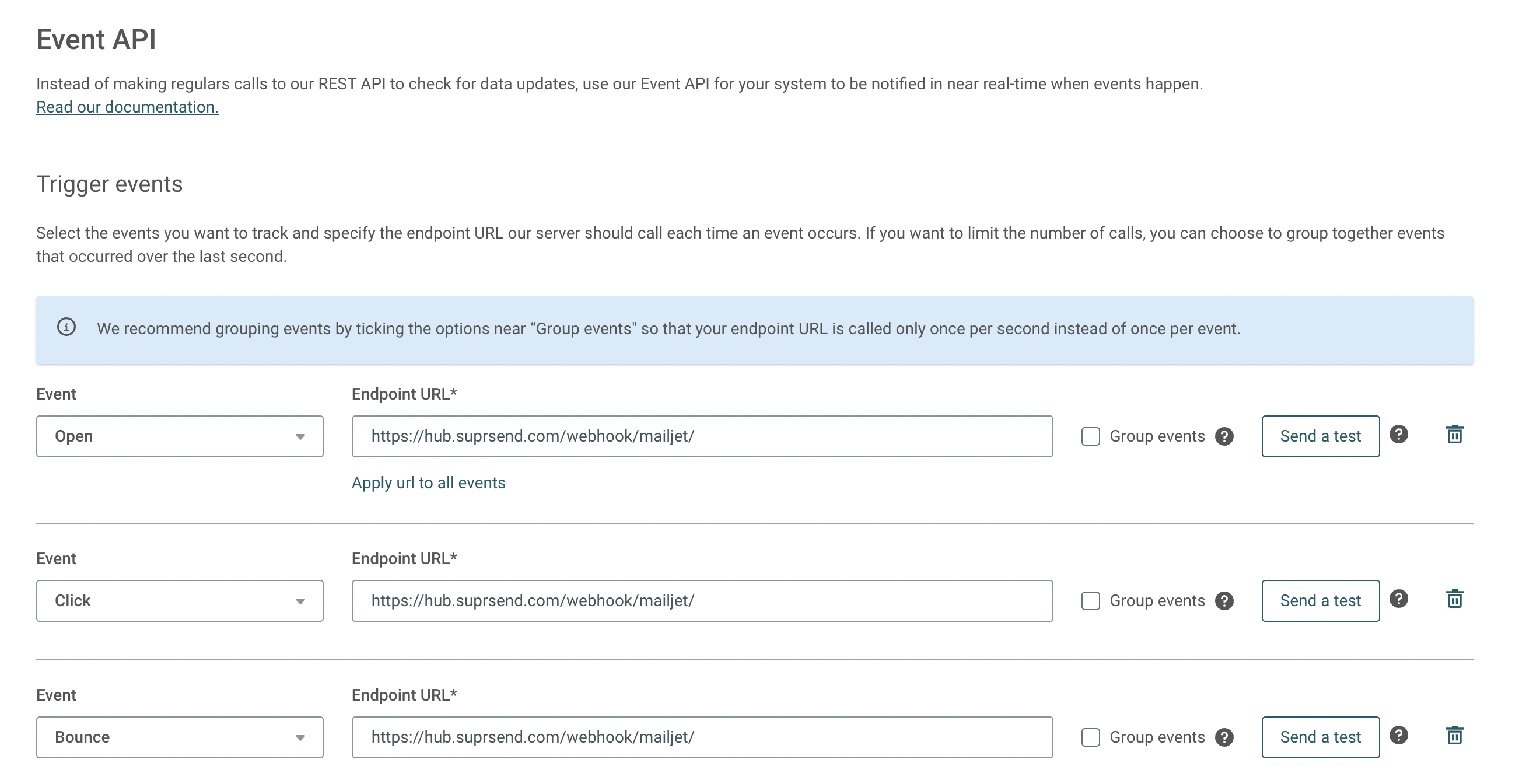
SuprSend uses webhooks to update notification statuses on delivery, user actions like open/click or the failure scenarios. This allows SuprSend to track notification status in logs and to power analytics. To allow SuprSend to receive these events via webhook, add SuprSend's webhook URL in your Mailjet account.
SuprSend's webhook URL: [`https://hub.suprsend.com/webhook/mailjet/`](https://hub.suprsend.com/webhook/mailjet/)
## Configuring Open/Click tracking for emails on Mailjet
SuprSend uses webhooks to update notification statuses on delivery, user actions like open/click or the failure scenarios. This allows SuprSend to track notification status in logs and to power analytics. To allow SuprSend to receive these events via webhook, add SuprSend's webhook URL in your Mailjet account.
SuprSend's webhook URL: [`https://hub.suprsend.com/webhook/mailjet/`](https://hub.suprsend.com/webhook/mailjet/)
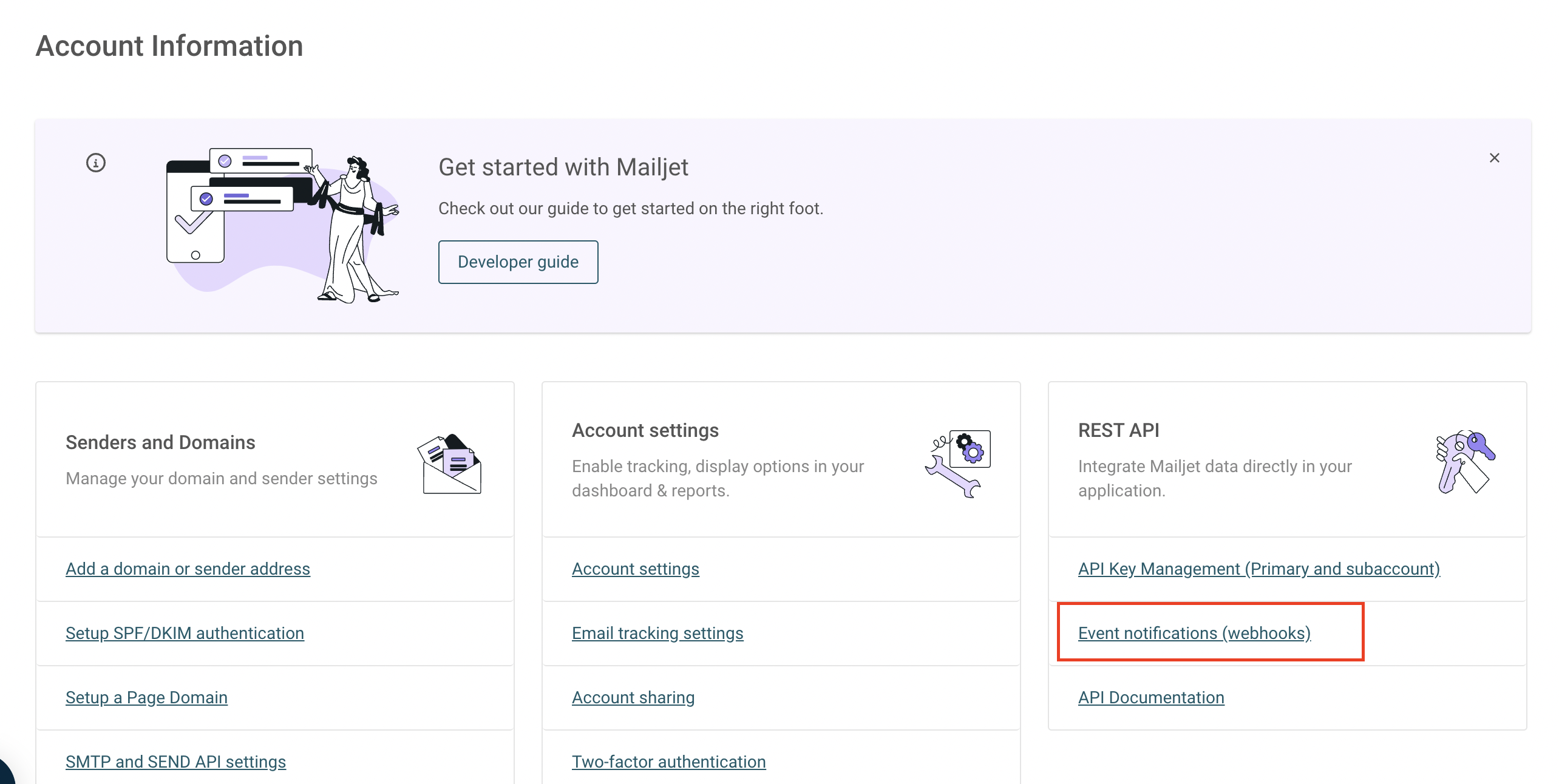 On webhook page, add SuprSend's tracking URL `` and apply this URL to all events.
 ## How to add Unsubscription link in email
You can directly add unsubscription link in your email using [`$hosted_preference_url`](/docs/user-preferences#hosted-preference-page) variable in your template. This link directs users to the [SuprSend preference page](/docs/user-preferences). With SuprSend preference setting, you have the flexibility to create multiple preference categories based on the type of notifications. This allows users to opt-out of specific preference categories, providing them with granular control over their preferences compared to other email services where they can only opt-out from all marketing communications at once.
**Why it's important to give unsubscribe option in email?**
First, it is required by the [CAN-Spam Act](https://www.ftc.gov/business-guidance/resources/can-spam-act-compliance-guide-business). Second, if you don’t give them this option, they are more likely to click on the spam complaint button, which will cause more harm than allowing them to unsubscribe. Finally, many ESPs look for unsubscribe links and are more likely to filter your email if they don’t have them.
***
## How to add Unsubscription link in email
You can directly add unsubscription link in your email using [`$hosted_preference_url`](/docs/user-preferences#hosted-preference-page) variable in your template. This link directs users to the [SuprSend preference page](/docs/user-preferences). With SuprSend preference setting, you have the flexibility to create multiple preference categories based on the type of notifications. This allows users to opt-out of specific preference categories, providing them with granular control over their preferences compared to other email services where they can only opt-out from all marketing communications at once.
**Why it's important to give unsubscribe option in email?**
First, it is required by the [CAN-Spam Act](https://www.ftc.gov/business-guidance/resources/can-spam-act-compliance-guide-business). Second, if you don’t give them this option, they are more likely to click on the spam complaint button, which will cause more harm than allowing them to unsubscribe. Finally, many ESPs look for unsubscribe links and are more likely to filter your email if they don’t have them.
***