> ## Documentation Index
> Fetch the complete documentation index at: https://docs.suprsend.com/llms.txt
> Use this file to discover all available pages before exploring further.
# Tenant Vendor
> Set up per-tenant vendors in SuprSend to route notifications through your customer's own email, SMS, or push providers instead of the default company vendor.
When sending notifications for your enterprise customers, not just notification styling; your clients might also want the notifications to come from their own tenant handles. **You can use tenant vendor to route notifications through your customer's channel providers** instead of the default company vendor. If no tenant vendor is set, vendor config on the default tenant is used.
## How to add tenant vendors
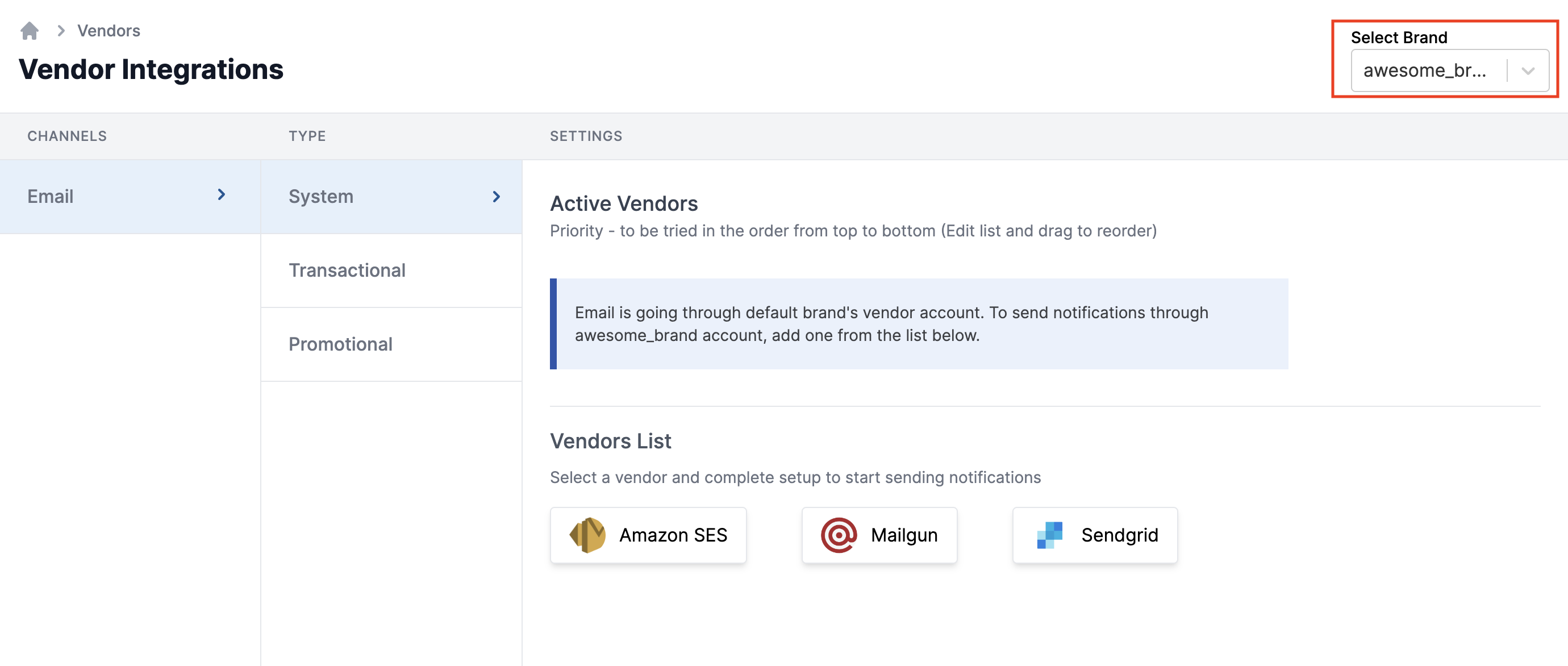
You can add tenant vendors from the ["Vendor" page](https://app.suprsend.com/en/staging/vendors/) on the SuprSend dashboard. Select the desired tenant from the top right side and add vendors for relevant channels.
 **Tenant Vendor APIs 👍**
You can also use our APIs to set tenant vendors dynamically if you have a higher number of tenants or their configurations change more dynamically.
The API support is in beta right now. You can email us on [support@suprsend.com](mailto:support@suprsend.com) for an early access.
***
**Tenant Vendor APIs 👍**
You can also use our APIs to set tenant vendors dynamically if you have a higher number of tenants or their configurations change more dynamically.
The API support is in beta right now. You can email us on [support@suprsend.com](mailto:support@suprsend.com) for an early access.
***