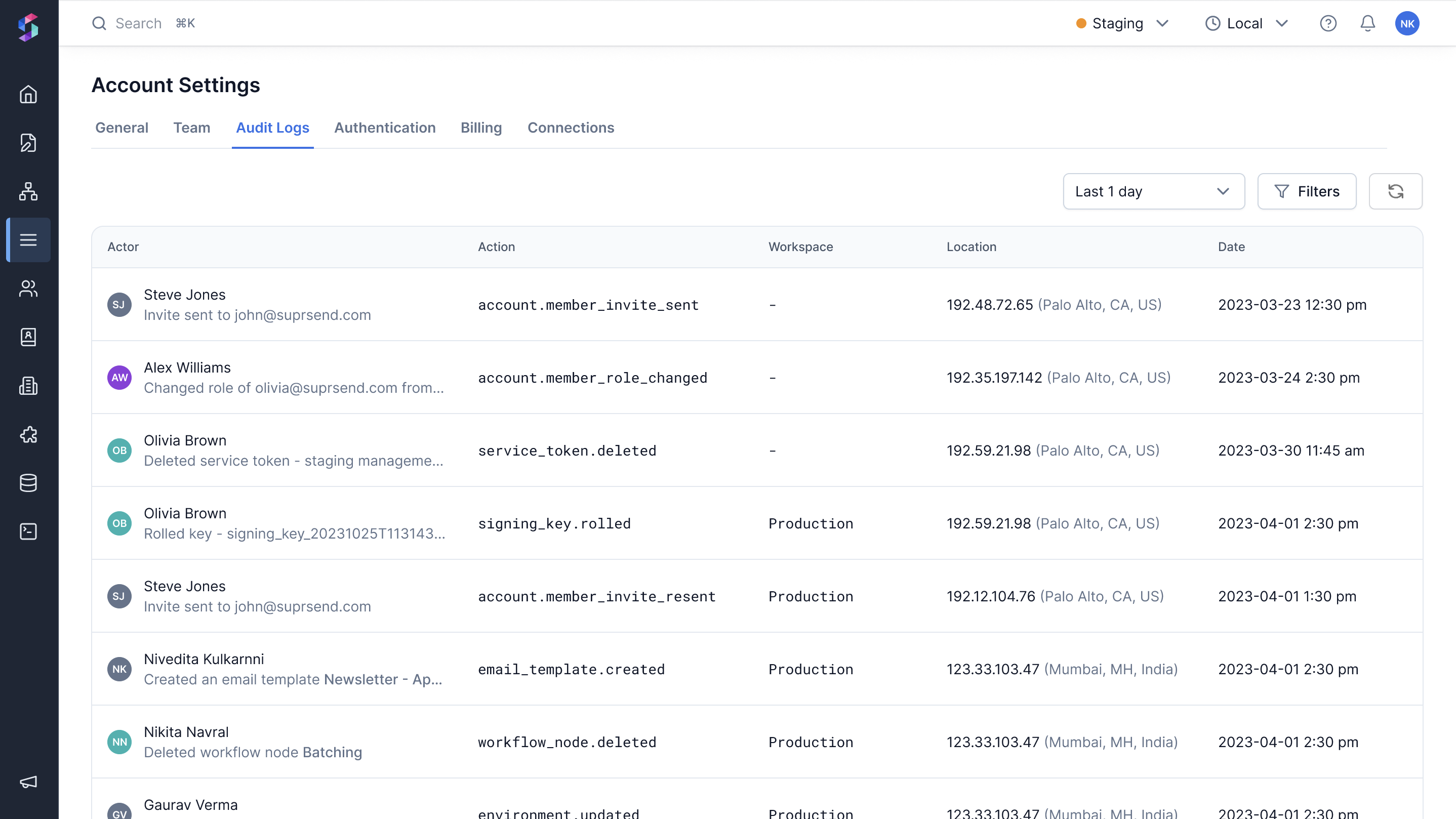
Audit logs provide a complete record of all actions performed by team members on your SuprSend account. Each entry includes who performed the action, when it happened, and details about what changed. This is particularly useful for maintaining team accountability, tracking security-sensitive operations, and quickly identifying who made specific changes—especially helpful when someone accidentally deletes a service token or makes an unintended configuration change.
Audit logs are available on the Enterprise plan.

Accessing audit logs

To view all account activity:
  1. Go to Account Settings by clicking on the user icon in the top right corner of the dashboard.
  2. Select [Audit Logs] (https://app.suprsend.com/en/account-settings/audit-logs) tab.
The audit logs page displays a list of actions performed in your account, showing the actor, action, workspace, location, and date for each entry. Filter audit logs to find specific entries by:
Filter optionDescription
Date rangeChoose relative date ranges (e.g., last 7 days, last 30 days) or set an absolute date range
ActorFilter by team member email or name
ActionSelect one or more action types (e.g., account.member_invited, api_key.generated)

Tracked actions

Monitors all security-related changes including authentication methods, API keys, tokens, and signing keys. These are the highest priority events to track.Authentication (Account Settings → Authentication)
ActionDescription
account.mfa_enabledMulti-factor authentication (MFA) was enabled for your account. This adds an extra layer of security by requiring a second verification step when logging in.
account.mfa_disabledMulti-factor authentication (MFA) was disabled for your account. This removes the additional security layer.
Service Tokens (Account Settings → Service Tokens)
ActionDescription
service_token.generatedA new service token was created. Service tokens are used for authentication of management API requests or for CLI operations.
service_token.deletedService token was deleted. This token can no longer be used for authentication.
API Keys (Developers → API Keys)
ActionDescription
api_key.generatedA new API key was created. API keys are used to authenticate API requests to SuprSend.
api_key.disabledAPI key was deleted. This key can no longer be used to make API requests.
Public Keys (Developers → API Keys)
ActionDescription
public_api_key.generatedA new public API key was generated. Public API keys are used for authentication of client SDK requests.
public_api_key.rotatedPublic API key was rotated (replaced with a new key). This is done for security purposes to invalidate the old key.
public_api_key.deletedPublic API key was deleted. This key can no longer be used for authentication.
public_api_key.secure_mode_enabledEnhanced security mode was enabled for public API key. This requires a signed user token to be sent along with client requests.
public_api_key.secure_mode_disabledEnhanced security mode was disabled for public API key. This no longer requires a signed user token to be sent along with client requests.
Signing Keys (Developers → API Keys)
ActionDescription
signing_api_key.generatedA new signing API key was generated. Signing keys are used to sign JWT tokens for client SDK requests.
signing_api_key.deletedSigning API key was deleted. This key can no longer be used to sign JWT tokens.
signing_api_key.rolledSigning API key was rolled (replaced with a new key). The old key is invalidated and a new one is generated.
Tracks changes to your team - member invitations, deactivations, and role changes.Team Management (Account Settings → Team)
ActionDescription
account.member_invitedNew team member was invited to the team. They will receive an email to join your team.
account.member_deactivatedTeam member was deactivated. This user can no longer access the account.
account.member_invite_cancelledPending member invitation was cancelled. They will not be able to join using that invitation.
account.member_invite_resentMember invitation was resent. This is useful if the original invitation expired or was lost.
account.member_role_changedTeam member role was changed. This affects their permissions and access level.
We’re continuously expanding audit log coverage to include other account level actions. If you have any suggestions or need to track other actions on priority basis, please contact the SuprSend support team.

FAQs

This feature to download audit logs or export it in your data warehouse is not available yet. You can raise feature request on slack community or email us at [email protected].
We start tracking audit logs in your account as soon as you upgrade to the Enterprise plan. The log retention timeframe depends on your billing plan.
When events occur that don’t originate from a user action (like automated system updates or side effects from merges), these events may be attributed to system processes. This helps maintain a complete audit trail of all changes to your account.