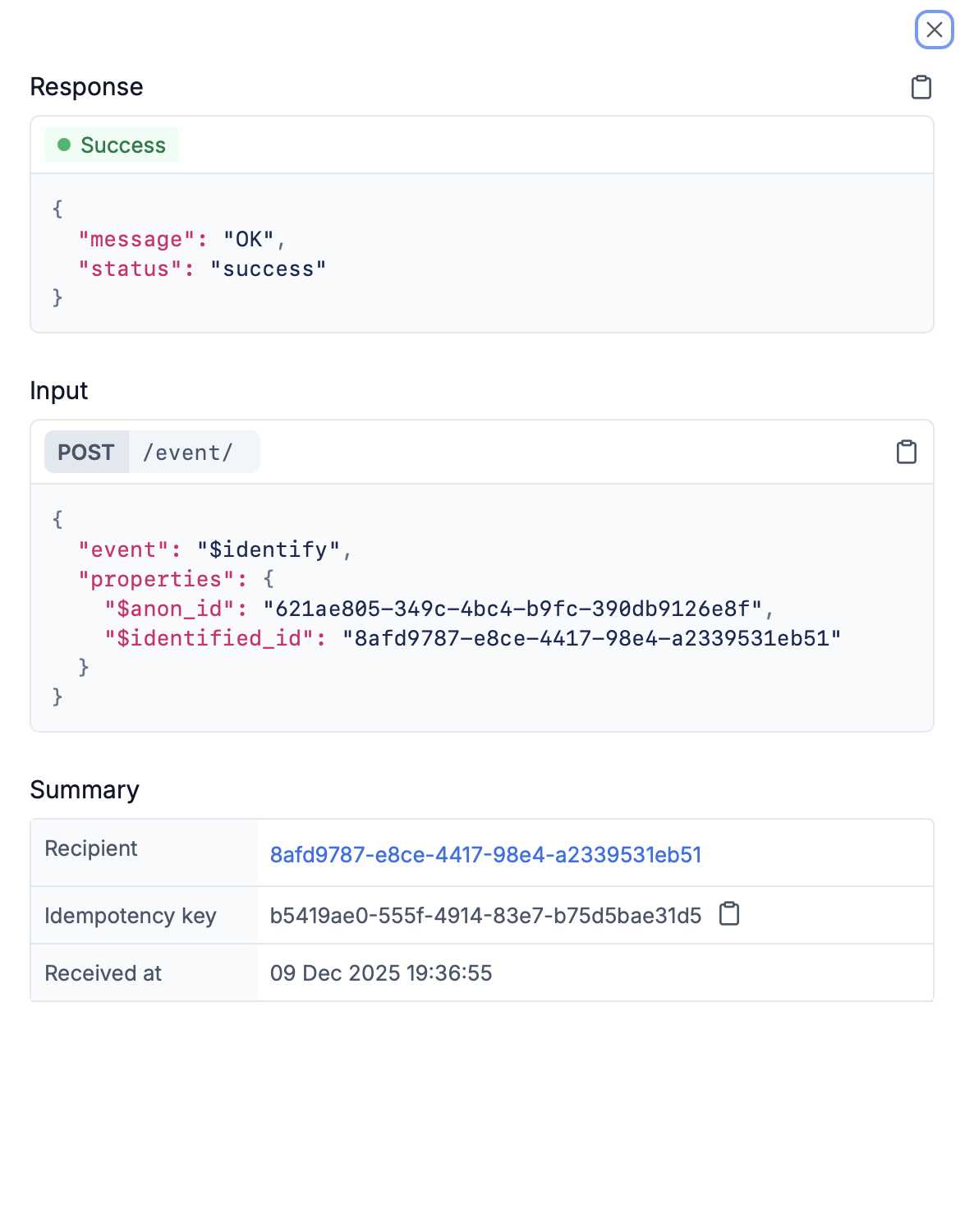
| Section | Details |
|---|---|
| Response | Success response with status, or failure response with error code, description, type, severity, and context |
| Input | HTTP method, endpoint (for example, /event/, /trigger/), and complete JSON payload |
| Workflow Execution | If the request is a workflow trigger or event request, you can see the workflow execution log here. Click on it to navigate to the linked workflow execution log. |
| Summary | Other relevant information like Recipient (clickable link to user page), idempotency key (with copy button), received at timestamp, workflow name , and tenant ID (if applicable) |
| Status | Log Level | Meaning |
|---|---|---|
| 🟢 Completed | INFO | Request was processed successfully. In case of workflow trigger or event requests, this doesn’t mean successful workflow execution. It just means that workflow run request was accepted by SuprSend. You can check the workflow execution log to see the status of the workflow execution. |
| 🟠 Partial Failure | WARNING | Request was not successful, and had warnings (non-actionable errors). For example, workflow trigger condition mismatch. |
| 🔴 Failed | ERROR | Request failed to execute due to some errors. You should continuously monitor these errors and fix it in real-time as these are critical errors that needs a fix. For example, invalid request payload, authentication failures, workflow not found, recipient not found, etc. |
| Error Type | Examples |
|---|---|
| API-level errors | Invalid requests, missing required fields, authentication failures |
| Workflow trigger errors | Trigger condition mismatch, workflow not found, recipient not found |
| Schema validation errors | If you have linked schema to the workflow or event and payload doesn’t match the workflow schema |
- Workflow trigger / event requests: View execution details in the Workflow execution logs. The linked execution is available in the expanded request log.
- Broadcast requests: View execution details in the Broadcast execution logs.
- Other requests: The Request Logs show the final response status and error details.