
Key concepts
1. The customer creates the Teams app
Point their IT team at Create a Teams app. They run those steps in their own Azure and Teams Developer Portal, with three differences from your own setup:- Supported account types can stay single-directory (
AzureADMyOrg). This bot never leaves their tenant. - Azure Bot App Type is still Single tenant.
- They send you the Application (client) ID, client secret, and Directory (tenant) ID. The app package stays with them — their admins install it from their own org catalog.
--sign-in-audience AzureADMyOrg.
2. The customer installs the app in their tenant
Their admin uploads the app package in Teams admin center → Teams apps → Manage apps → Upload new app, then gives it permission to send:- DMs — add the app to the Global setup policy under Teams apps → Setup policies → Installed apps, so it’s installed in personal scope for everyone.
- Channel posts — @mention the bot once in each channel you’ll post in, which installs the app in that team.
.zip from your side.
3. Save their credentials on a tenant vendor
Create the SuprSend tenant for this customer if it doesn’t exist: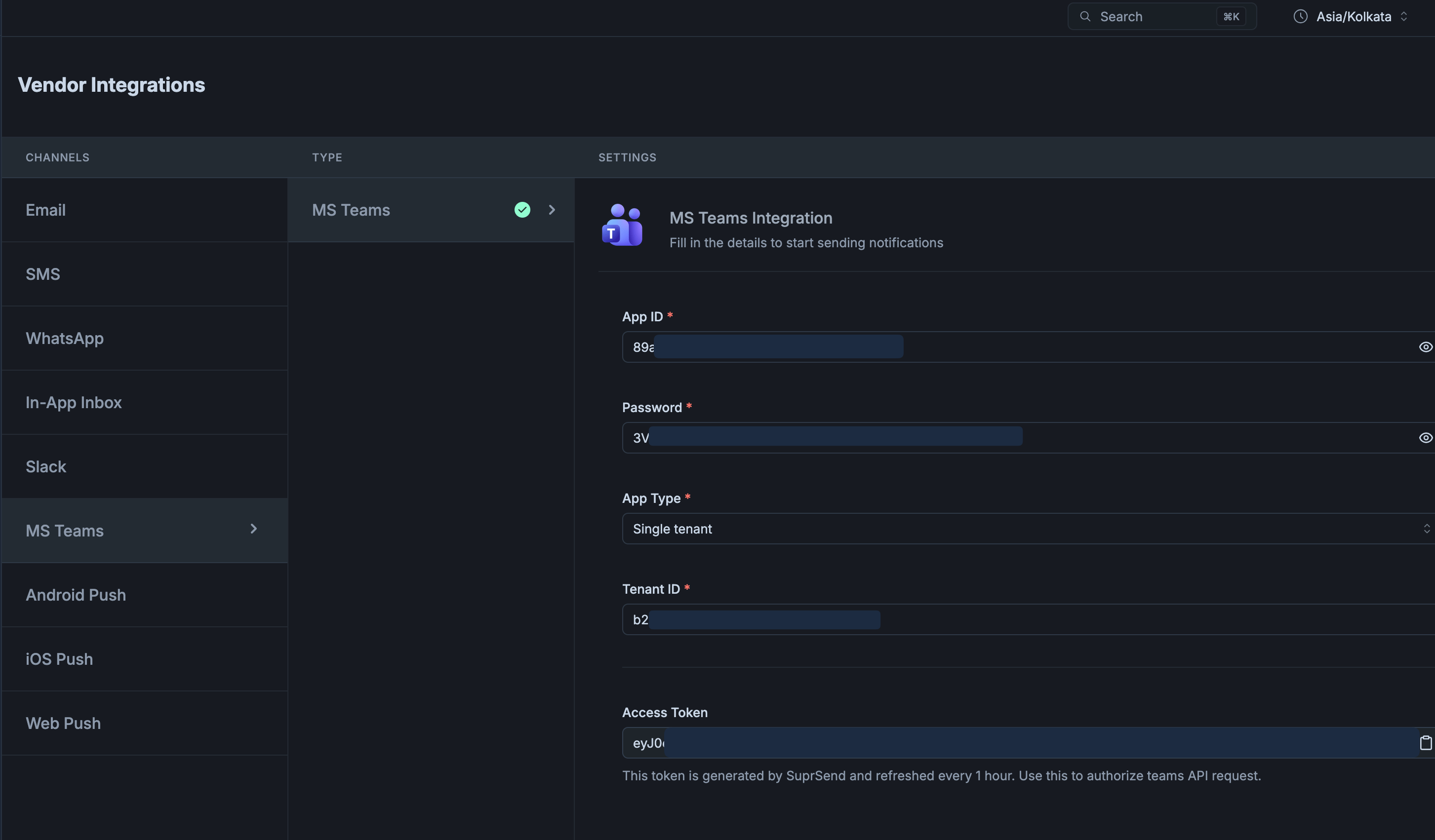
After you save, SuprSend logs in with these credentials and shows the result in the Access Token field. Empty means the login failed — usually a wrong Tenant ID. Filled means it worked, but a mismatched App Type can still fail every send with
401, so send a test before going further.
Your default (workspace) vendor stays as your bot for customers who install your app. Only customers who bring their own app get a tenant vendor. Passing
tenant_id: "customer-a" on a trigger is what selects their vendor, once you switch on Enable at the top of their vendor form. Until then, that tenant’s sends go through the default vendor.4. Save Teams channels and users in SuprSend
Channels go on the service object, DMs on the user’s per-tenant profile — the same as the your-app path. Collecting the IDs works the same way too; see In production, fetch the IDs automatically with Graph.tenant_id on the entry is optional on this path, because the tenant vendor already knows their directory. Including it is harmless and keeps the entries identical to the your-app path.
Don’t put incoming_webhook on these recipients. Webhooks ignore tenant vendors and fire for every URL on the profile.
5. Trigger a workflow
Create a workflow (for examplenew-incident) with a multi-channel or MS Teams node connected to a Teams template. Trigger it with the service object and the on-call user as recipients, and always pass the customer’s tenant_id — that’s what routes the send through their vendor:
api-prod, and DMs the on-call engineer from their per-tenant $ms_teams entry.
If everything works, the channel post and the DM arrive from the customer’s app name, not yours. You can also check Logs → Messages in SuprSend for the delivery and later statuses — the tenant column shows which customer’s vendor was used.
FAQs
Can I have some customers on my app and others on their own?
Can I have some customers on my app and others on their own?
Yes. Customers who install your app use the default vendor; customers who bring their own app get a tenant vendor. The trigger’s
tenant_id decides which vendor a send uses — the same workflow and templates serve both.Posts still come from my bot, not the customer's
Posts still come from my bot, not the customer's
The trigger didn’t pass
tenant_id, that tenant has no Microsoft Teams vendor, or Enable is off on its vendor form. Without a tenant vendor, SuprSend uses the default workspace vendor — yours.Access Token is empty with AADSTS700016
Access Token is empty with AADSTS700016
Tenant ID on the vendor form isn’t the directory where they registered the bot. Use their Directory (tenant) ID.
What does BotNotInConversationRoster mean?
What does BotNotInConversationRoster mean?
The app is in their tenant but not installed in the team that owns that channel. Their admin @mentions the bot once in the channel, or installs the app in the team.